

Checker Tools
Text Tools
- Text separator
- Email extractor
- URL extractor
- Text size calculator
- Duplicate lines remover
- Text to speech
- IDN Punnycode converter
- Case converter
- Character counter
- List randomizer
- Reverse words
- Reverse letters
- Emojis remover
- Reverse list
- List alphabetizer
- Upside down text generator
- Old English text generator
- Cursive text generator
Developer Tools
Generator Tools
Image manipulation tools
- BMP to ICO
- ICO to JPG
- ICO to GIF
- ICO to PNG
- ICO to WEBP
- ICO to BMP
- GIF to JPG
- GIF to ICO
- GIF to PNG
- GIF to WEBP
- GIF to BMP
- HEIC to PNG
- HEIC to GIF
- HEIC to JPG
WebP to GIF Converter – Free Online Image Conversion
WebP Converter To GIF: A Guide To Converting WebP To GIF
The WebP image format has gained more popularity due to the high level of compression and file size, however, is not always compatible with all the platforms. Probably you have already encountered problems with the WebP format when you tried to share a file on a social network or embed it in an application that handles only classic formats, such as GIF. The WebP to GIF converter is what is needed there.
No matter whether you have to work with .webp to .gif, webp to gift or, unfortunately, with such strange-typed mentioned WebP to GIF variants as wepb to gif or webmp to gif, this post will teach you everything on how to convert WebP to GIF simply, quickly, and without any quality loss.
What is the Purpose of converting WebP to GIF?
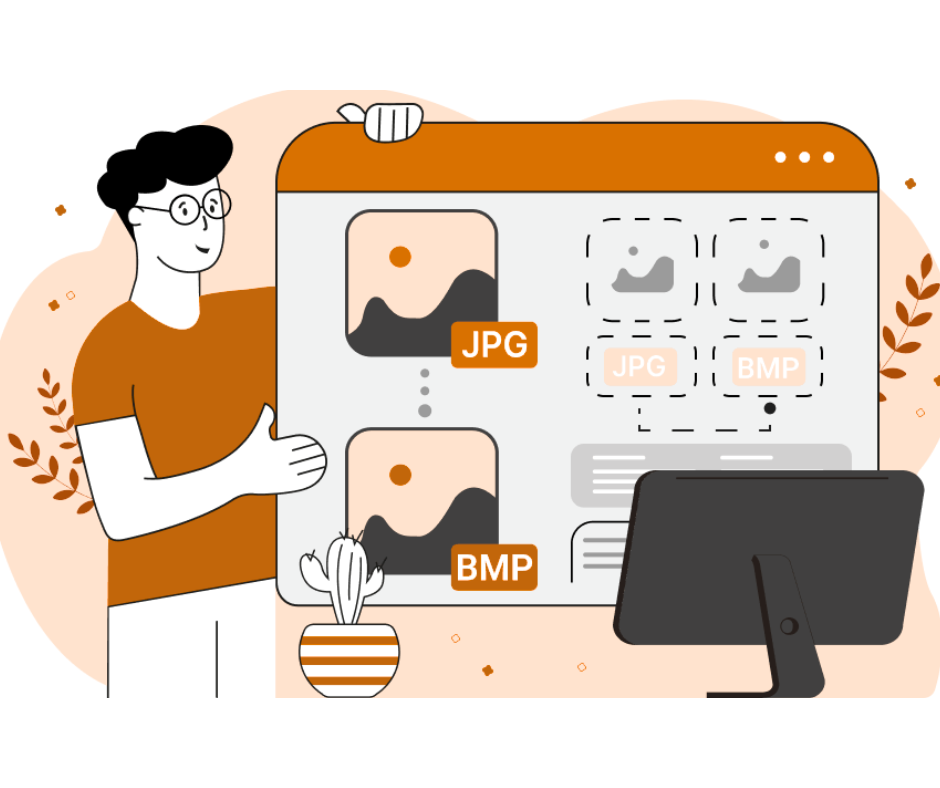
WebP is an excellent format to the latest browser, but not every system can read it. Transforming WebP pictures to GIFs might assist in:
- Cross-platform support (not all apps and Web sites do support WebP)
- Ready support of animation (GIFs are one of the standards of easy animate graphics support)
- Global file exchange (GIFs are accepted everywhere in the forums and messengers)
Have you ever Googled how to convert WebP to GIF? Well, this post can help you find out various other ways to do it either online or offline
Top Online Tools to Convert WebP to GIF
Here are some reliable platforms that work well as WebP to GIF converters:
1. EZGIF
A popular and free online tool where you can upload .webp files and convert them to .gif. Perfect for quick and easy conversion.
2. CloudConvert
This tool supports batch conversions and multiple formats. It’s a great choice if you’re handling several webp to gid or webp tp gif files.
3. Convertion
An intuitive drag-and-drop interface makes it ideal for those who aren’t tech-savvy. It supports even misspelled formats like webp togif or webp ti gif.
Offline Options for WebP to GIF Conversion
1. Photoshop
If you already use Adobe Photoshop, you can easily convert WebP to GIF through its export settings.
2. IrfanView (Windows)
A lightweight and fast tool to open .webp images and export them as .gif files. It’s great for converting webpd to gif, webg to gif, or even webpto gif.
Common Mistakes & Misspellings to Watch For
When searching for a converter online, users often type incorrect variations like:
- webb to gif
- wep to gif
- wemp to gif
- wedp to gif
- webo to gif
- webp to gof
- webp to gidf
- webp to gig
- webp to gi
- webp into gif
- webp to gifd
These are simply typographical errors or phonetic interpretations of “WebP to GIF.” Most reliable converter platforms still work even when your search term includes one of these variants.
How to Convert WebP to GIF: Step-by-Step
Using EZGIF as an example:
- Go to ezgif.com
- Select “WebP to GIF” tool.
- Upload your .webp file (or drag & drop).
- Click Convert to GIF.
- Download the output.
Whether you typed webp to gi, webp tp gif, or web p to gif, this method still applies.
Advanced Tip: Batch Conversion
If you’re working with multiple files like webp to gid, webp to gifd, or webp into gif consider using tools like XnConvert or FFmpeg for batch processing. These save time and offer customization.
Related Use Cases
- Meme Creators: Quickly convert .webp to .gif for sharing memes on Reddit or Discord.
- Web Developers: Use .gif instead of .webp for legacy browser compatibility.
- Educators: Convert .webp diagrams into animated .gif files for presentations.
Q1: Can I convert WebP to GIF without losing quality?
Yes, but it depends on the tool. High-quality converters like EZGIF or Convertio retain maximum image integrity during conversion.
Q2: What if I type "webp to gid" or "webp togif" while searching?
Most search engines correct these errors automatically. Many converter sites will still recognize what you mean.
Q3: Is it safe to use online WebP to GIF converters?
Yes, as long as you use trusted platforms like EZGIF, CloudConvert, or Convertio. They don’t store your data permanently.
Q4: Can I use mobile apps for WebP to GIF conversion?
Absolutely. Apps like Image Converter or Photo Converter for Android and iOS support .webp to .gif conversions easily.
Q5: What's the difference between WebP and GIF formats?
WebP supports both lossy and lossless compression and better quality at smaller sizes. GIFs, while larger, are more universally supported and good for animation.
Final Thought
Whether you’ve typed wbp to gif, wepd to gif, or even wemb to gif, rest assured there are reliable tools that will help you convert WebP to GIF smoothly. You don’t need to be tech-savvy or install complex software most conversions can be done online within seconds.
The key is to choose the right WebP to GIF converter that meets your needs, whether that’s batch conversion, high quality, or just a simple one-time change. No matter if your file is labeled webp to gift, webp to gof, or webg to gif, it’s all the same goal make your image universally accessible.