

Checker Tools
Text Tools
- Text separator
- Email extractor
- URL extractor
- Text size calculator
- Duplicate lines remover
- Text to speech
- IDN Punnycode converter
- Case converter
- Character counter
- List randomizer
- Reverse words
- Reverse letters
- Emojis remover
- Reverse list
- List alphabetizer
- Upside down text generator
- Old English text generator
- Cursive text generator
Developer Tools
Generator Tools
Image manipulation tools
- BMP to ICO
- ICO to JPG
- ICO to GIF
- ICO to PNG
- ICO to WEBP
- ICO to BMP
- GIF to JPG
- GIF to ICO
- GIF to PNG
- GIF to WEBP
- GIF to BMP
- HEIC to PNG
- HEIC to GIF
- HEIC to JPG
Turn GIFs into WebP: Save Space Without Losing Quality
GIF to WebP: Understanding Conversion and Modern Image Formats
The use of animated images used in the online language is something that has been around since the infancy of the internet. Whether it is silly memes, product demonstrations, GIFs have dominated the market of short and repeating animations. However, with the passage of years, more efficient formats surfaced- one of the major ones being WebP, which is faster, smaller and more web-friendly. Converting GIF to WebP or WebP to GIF has gradually gained significance among web developers, designers and digital marketers as well.
Be it fastening your website loading speed or desire to keep its quality and minimize image file size, learning the methods and the tools used in the process of GIF to WebP and WebP to GIF conversion is something that might take you a long way. Covering both directions of conversion, considering advantages, and linearizing the most trustworthy GIF to WebP converters online programs today is what you will read about in this article.
Why Convert GIF to WebP?
GIFs, although fun and widely supported, are relatively outdated. They don’t offer the compression efficiency that modern web formats like WebP provide. When you convert GIF to WebP, the resulting file is often significantly smaller in size while maintaining similar or better quality. This not only reduces bandwidth usage but also improves website performance especially important for mobile users and SEO.
In practical terms, if you’re a developer running a content-heavy website, using GIF to WebP converter tools helps ensure your site loads faster, thereby reducing bounce rates. WebP supports both lossy and lossless compression, and unlike GIFs, it supports alpha transparency and 24-bit color, making it far more versatile for web use.
How to Convert GIF to WebP
Various online free and paid tools that will enable one to convert GIF to WebP effortlessly exist. Such GIF converter sites would usually ask you to drag and drop an image file on the webpage which takes the form of a GIF file and automatically converts it to a webp file that could be later downloaded to be used.
There is also popular support of this conversion process in most image editing programs like Photoshop (with plugins), GIMP, and command-line image applications like ImageMagick. In the case of web-based solutions, web applications such as Tool Checking, Convertio proven to be a good as well as provide batch processing.
After you have turned your GIF into WebP, you will be amazed to see the file size is down, by a factor of 60-80 percent or more, and the quality is not significantly worse. Such efficiency also makes WebP a popular format in terms of product galleries, animation snippets, and UX animations in the current web apps
Why You Might Need to Convert WebP to GIF
Although WebP is technically superior in many ways, there are times when you need to convert WebP to GIF. One of the main reasons is compatibility. While all modern browsers support WebP, older software, image viewers, and some social media platforms may not. If you’re sending an animated image to someone using older email software or trying to embed it into a non-supportive system, a GIF is your safest bet.
Another reason involves simplicity. GIFs are easy to insert into presentations, documents, and even messaging apps. Not everyone needs high compression rates and 24-bit color when a simple animation will do. This is where the process to convert WebP to GIF becomes handy.
WebP to GIF Conversion Process
Reversing the process is just as simple. Tools like Tool Checking offer a seamless WebP to GIF feature that lets you upload a WebP file and download a compatible GIF. The quality may degrade slightly due to GIF limitations, but the image will become usable across virtually all platforms.
There are also desktop tools and command-line utilities available for this conversion, especially if you’re handling large batches. However, be aware that converting from WebP to GIF usually results in larger file sizes due to the GIF format’s lower compression capabilities.
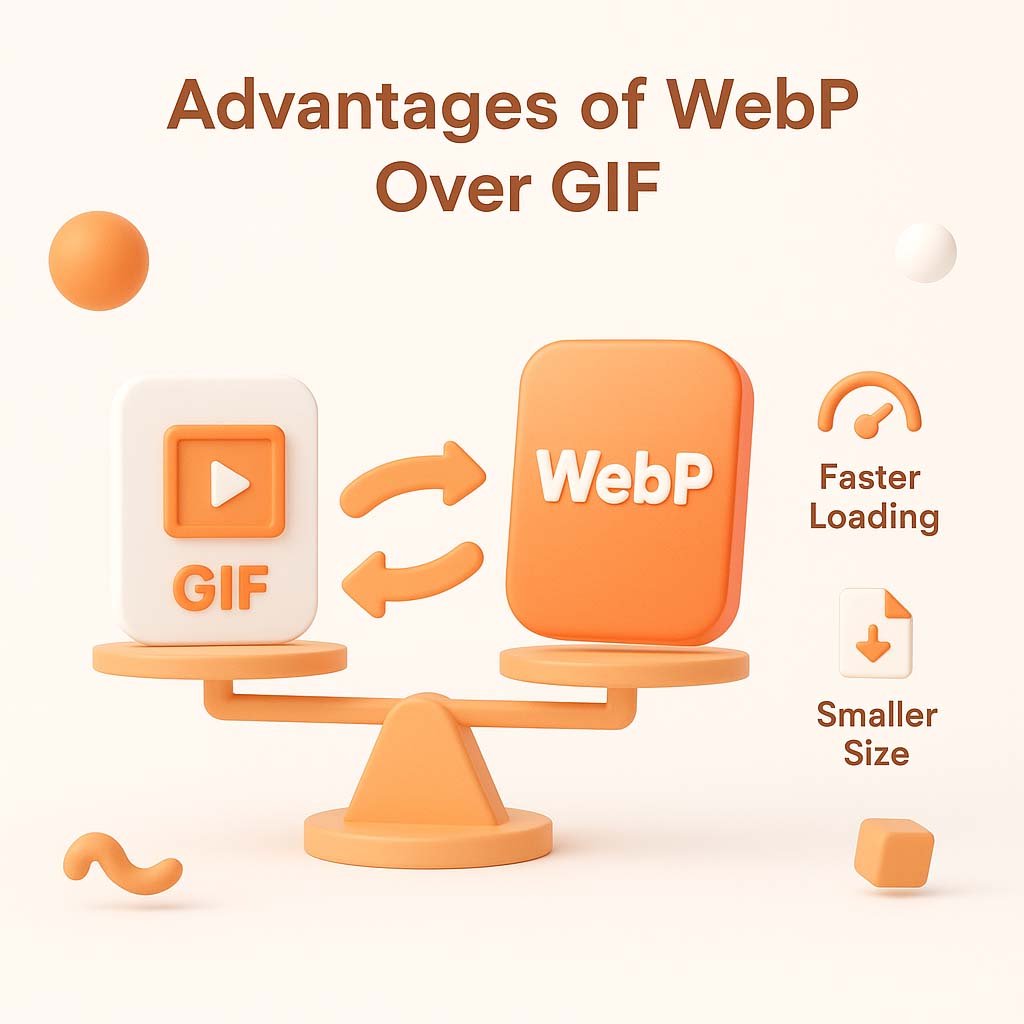
Advantages of WebP Over GIF
While both formats support animation, WebP is considered far more efficient. A single GIF to WebP conversion can demonstrate how much smaller a file can become while maintaining smooth playback and better color rendering. WebP also supports transparency with better edge handling, which is especially useful for overlays and modern UI elements.
For developers and designers working with responsive websites, WebP’s lightweight nature reduces server load, speeds up loading time, and improves user experience. Although some legacy support issues persist, modern content delivery networks (CDNs) and image handling systems automatically serve WebP to compatible browsers and fall back to GIF or PNG when needed.
Should You Use a GIF to Web Converter?
It’s worth noting that some users may refer to a GIF to Web process, likely intending GIF to WebP conversion. While there’s no standalone “web” format, WebP is the standard for optimized image delivery on the web today. If you’re reading or hearing about a GIF to web transformation, chances are they’re referring to compressing or converting GIFs into WebP files.
Using a GIF to WebP converter is essential for modern web projects where performance and efficiency matter. These tools are user-friendly, often free, and available both online and offline, making it easy to adopt this upgrade in your media assets.
Final Thoughts
With continued evolution of web standards, there are more requirements emanating regarding improvement of image formats. WebP has turned into the contemporary answer to a lot of the drawbacks of GIF to be superiorly compressed, high-quality, and improved web performance. Using the converter of GIF to WebP, the latest devices can ensure the optimization of the graphics of your animation, and the quality will remain high. On the one hand, the possibility to convert WebP to GIF will allow it to be compatible with the older platforms and users. Managing a web resource, developing content, or simply looking into various options in the digital media realm, a proper knowledge about GIF to WebP process and WebP to GIF conversion better equips you with the necessary files format to use, depending on your requirements.
Q: What is the main difference between GIF and WebP?
GIF is an older format limited to 256 colors and inefficient compression, while WebP offers 24-bit color, transparency, and superior file size optimization.
Q: Can I convert GIF to WebP without losing animation?
Yes, WebP supports animated images, and most converters maintain frame sequences when transitioning from GIF to WebP.
Q: Is there any loss in quality when converting WebP to GIF?
Yes, converting from WebP to GIF may reduce color depth and compression efficiency due to the older limitations of the GIF format.
Q: Are there online tools for both conversions?
Absolutely. Websites like Tool Checking, and CloudConvert offer both GIF to WebP and WebP to GIF conversion services.
Q: Will WebP completely replace GIFs?
While WebP is becoming the default for modern browsers and platforms, GIFs are still used for simplicity and backward compatibility.